See every machine.
Own every ticket.
SLApp Helpdesk pairs a lightweight Windows agent with a full helpdesk — live metrics, alerts, remote control, SLAs and a client portal, in one console.
From install to resolved, in three steps.
Install the agent
One installer per machine. It registers itself, inventories the hardware, and starts reporting — no manual setup on the endpoint.
Monitor & respond
Live CPU, memory, disk and network metrics feed alert rules. Anything that needs a human becomes a ticket with an SLA clock running.
Resolve remotely
Open a screen-share session, run a command, or push a Windows update fleet-wide — then close the ticket without leaving the console.
Real screens, not a mockup.
What your technicians actually look at all day — a filterable fleet, tickets with an SLA clock, and alerts before a client notices anything.
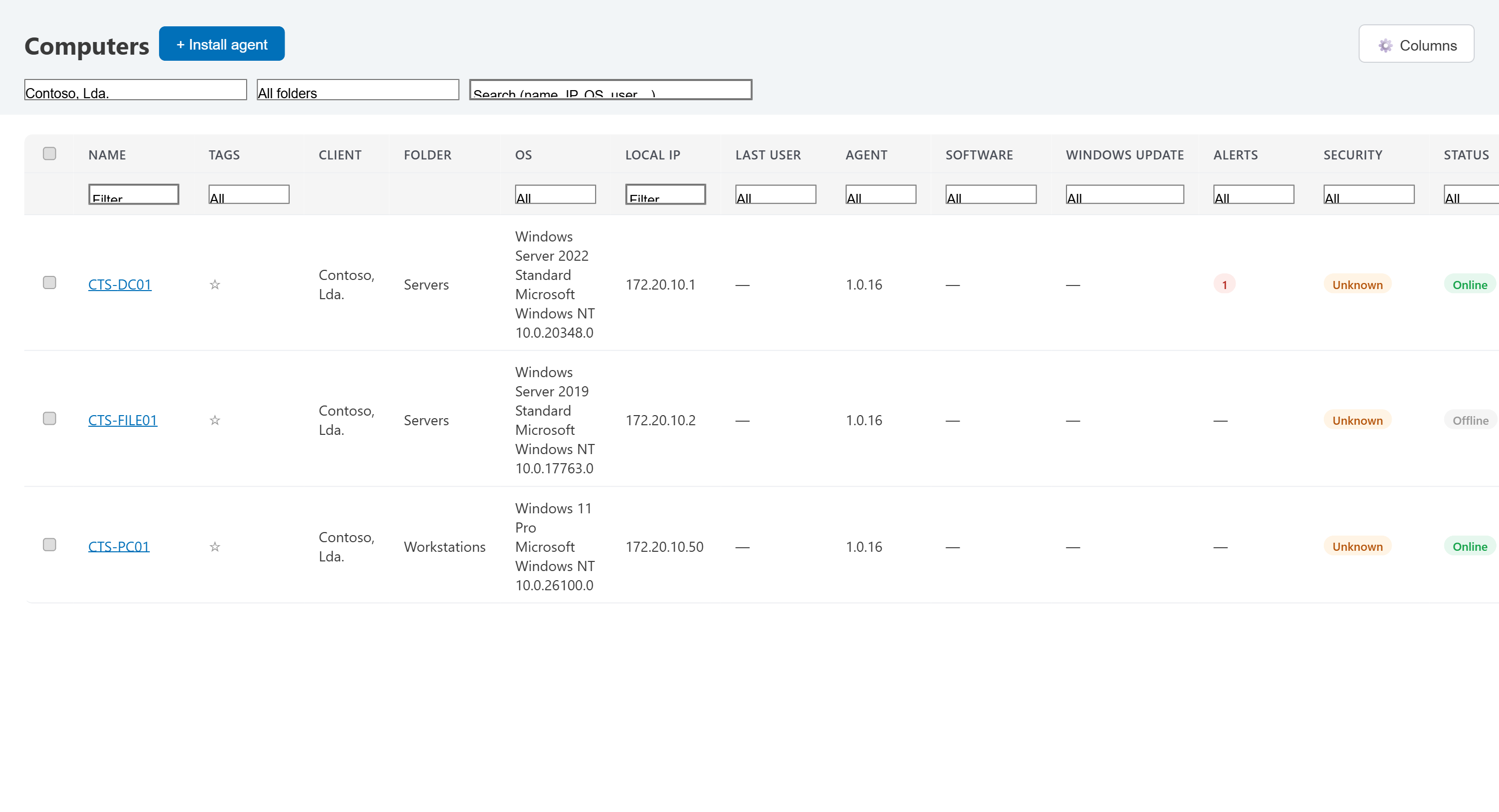
Every endpoint, one filterable list.
Search by name or IP, filter by client, folder, OS or status. Security posture and pending alerts are columns, not a separate screen.
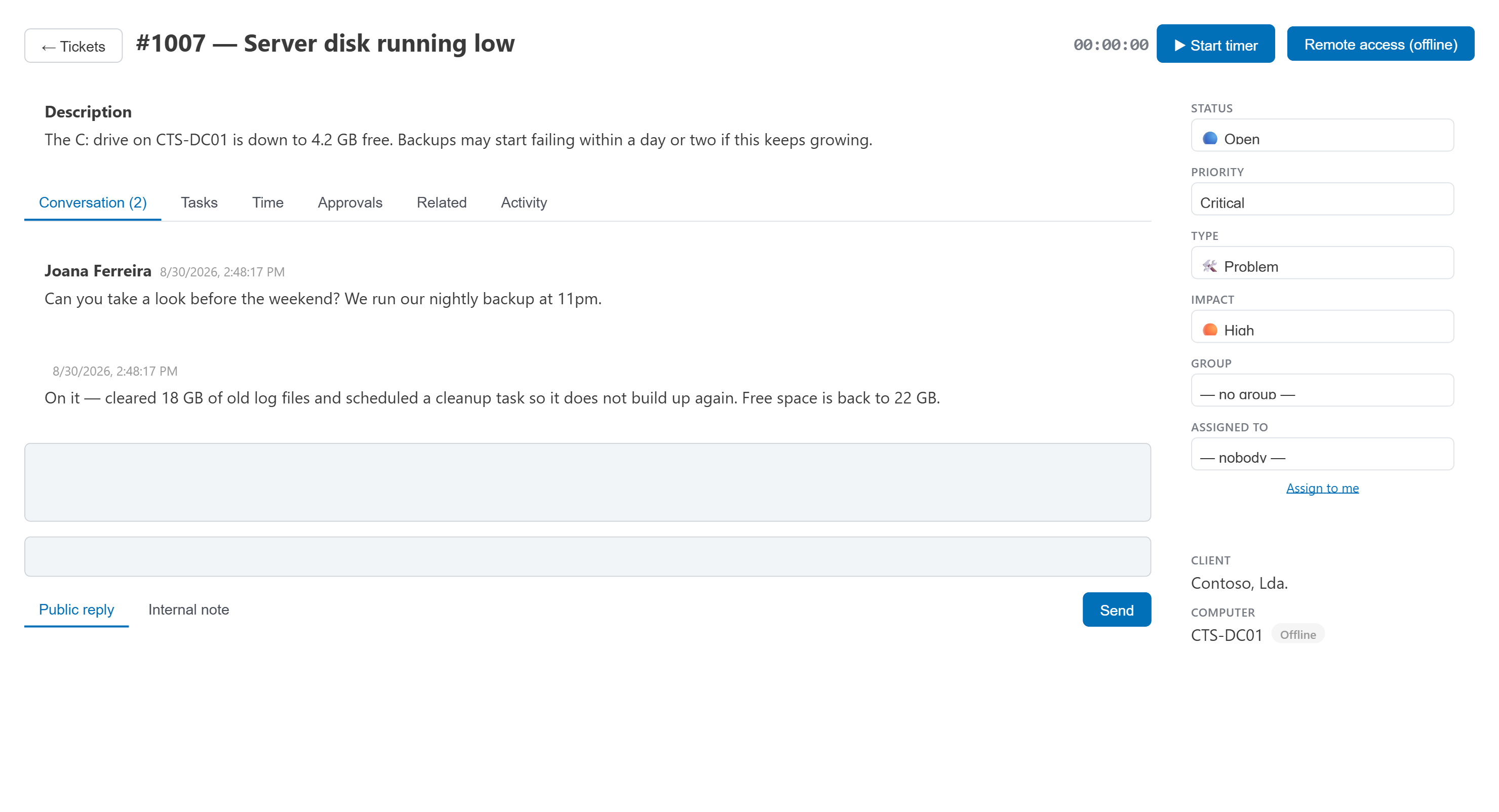
Tickets your clients can actually follow.
One thread for the back-and-forth, priority and impact set the SLA clock, and every field that matters — status, group, assignee — sits in the same view.
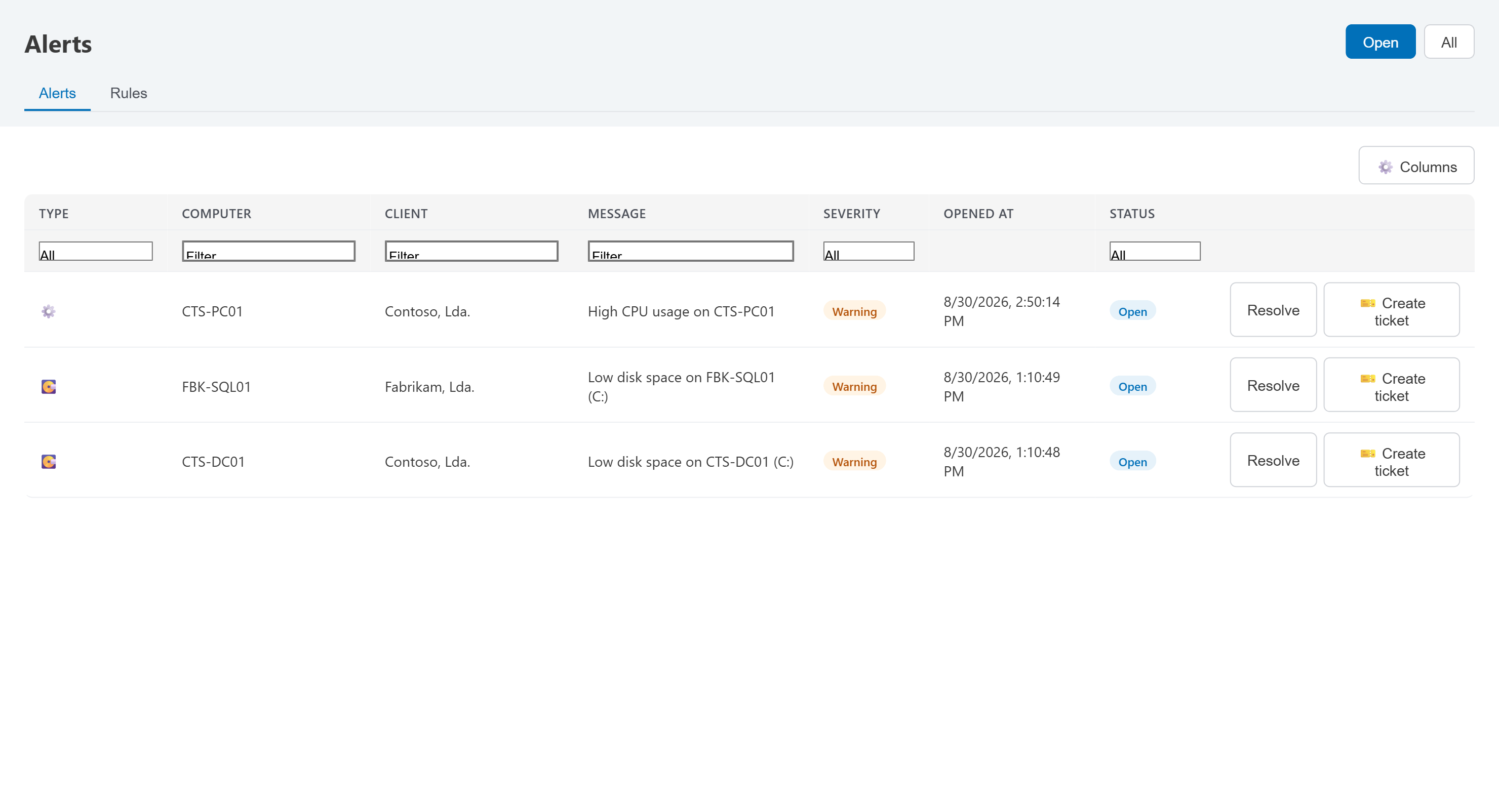
Know before they call.
Disk, CPU, memory, network and offline rules feed one live feed. Turn any alert into a ticket in one click, right from the row.
Every module an IT team actually reaches for.
No bolt-on modules or separate logins — monitoring, helpdesk, assets and the client portal share one data model.
Fleet monitoring
Hardware inventory, live CPU/RAM/disk/network metrics, and online/offline heartbeat for every endpoint.
HelpdeskTickets & SLAs
Priorities, approvals, tasks and time tracking, with response and resolution SLA clocks on every ticket.
AlertingThreshold alerts
CPU, disk, memory, network and offline rules — scoped to the whole fleet, a folder, or a single machine.
PatchingWindows Update
See what's pending across every machine and push installs fleet-wide, without a remote session.
WebsitesWebsite monitoring
Uptime, response time, SSL expiry and cookieless visitor analytics for every site you host — with alerts when something breaks.
Remote controlScreen & commands
Full remote sessions and one-off commands, queued and delivered automatically when an offline machine comes back.
AutomationScheduled scripts
Recurring maintenance jobs and one-off scripts, scheduled once and run silently in the background.
MaintenancePreventive maintenance
Schedule recurring maintenance — run an ordered list of scripts or a technician visit, force Windows Update, and email each machine's users to leave the PC on.
InventoryAssets & licenses
Custom fields and attachments per asset, plus software and license tracking with expiry alerts.
Self-serviceKnowledge base
Articles organised by category, visible to the whole client base or just one — with self-service authoring in the portal.
SNMPNetwork devices
Monitor NAS boxes, routers and switches by SNMP, right alongside the Windows fleet.
Client-facingClient portal
Clients open tickets, track their assets and sign approvals themselves, signed in with their Microsoft account.
Personal vaultPersonal password vault
An end-to-end encrypted password manager for your clients' own accounts, with a browser extension for autofill — nobody but the owner can read it.
FeedbackBuilt-in suggestions
Every technician can propose an idea straight from the console — it lands in our inbox, not a form nobody checks.
Full manual, 3 languages
A real user manual — every screen explained, real screenshots — downloadable as a PDF in the technician's own language.
Didn't see what you needed?
Ask us directly — info@significado-logico.pt →
English, Portuguese and French — the whole console, not just the labels.
Every technician and every client picks their own language; the switch is instant and remembered per person.