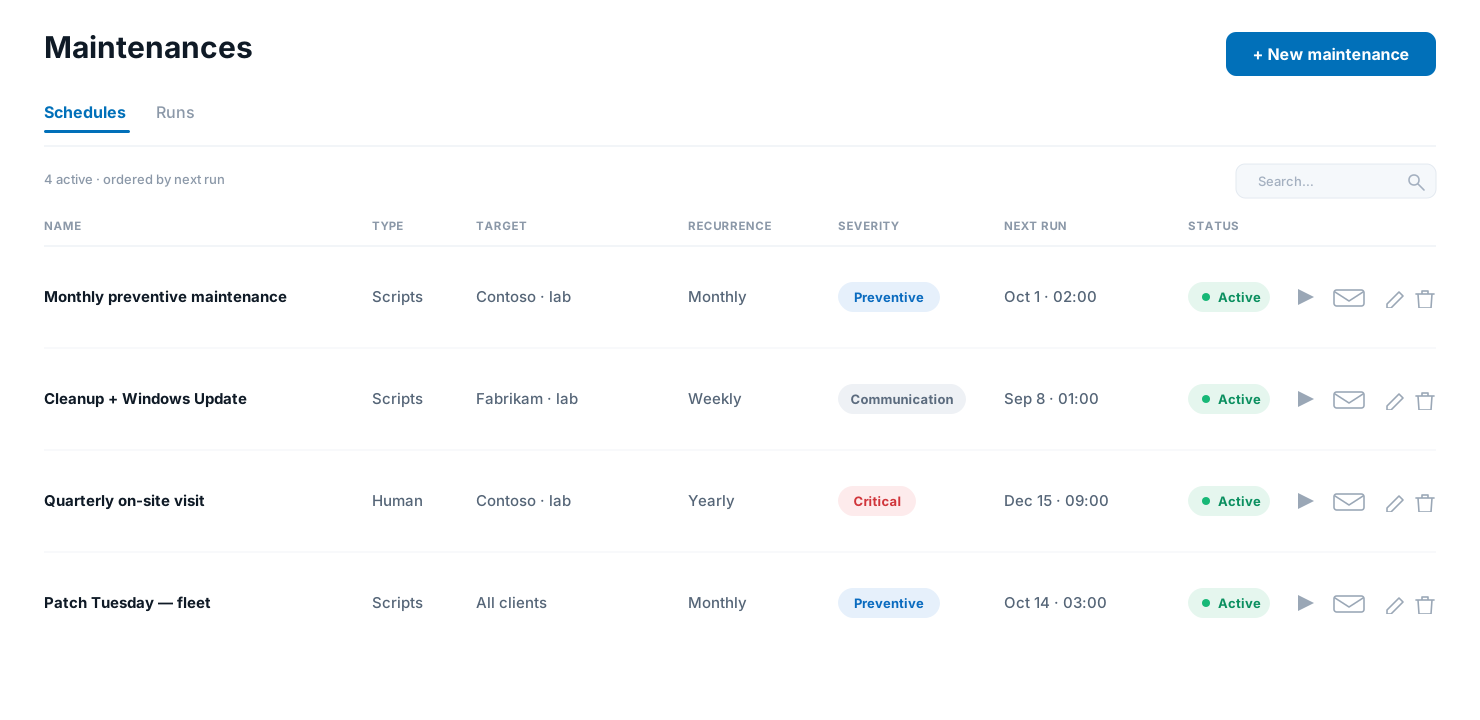
Plan it once, it runs on schedule
- Target a client, a folder, or hand-pick specific machines — or the whole fleet.
- Recurrence to fit any cadence: once, daily, weekly, monthly or yearly. A "once" schedule disarms itself after it fires.
- Two kinds of maintenance: run an ordered list of scripts automatically, or log a technician visit that a person carries out and closes by hand.
- Scripts run in the order you set on each machine, and in parallel across machines. Choose the failure policy per maintenance: continue and record, or stop at the first error.
- A machine that's offline at the scheduled time is flagged — the occurrence is recorded as not carried out, so it never silently slips.
- Every occurrence lands in a run history — per machine, with the full output, so you can prove exactly what happened and when.
Windows Update, built in
- Tick Force Windows Update and, after the scripts finish, the machine checks for pending updates, installs them, and reboots.
- The install runs in a detached task as SYSTEM, so a long cumulative update is never cut short by a command time limit — and the machine only reboots if something was actually installed.
- Pair it with a script list or run it on its own as a plain monthly patch window.
Everyone knows before it happens
- Ahead of each run, the people who use the machine get a "leave your PC on" email — and the client's primary contact is always notified, with the full list of machines and the scripts that will run.
- Emails go out in the client's own language (set per client), and the body is a template you can edit per language, with variables for the computers, scripts, date and client.
- Each maintenance carries a severity — Critical, Preventive or Communication — shown as a coloured banner in the email.
- Choose how far ahead the notice goes out, and whether the machine's own user is emailed at all — the primary contact always is.
- If a computer can't be reached at the scheduled time, a Critical "maintenance not carried out" email is sent, so nobody assumes it ran.
Preventive maintenance
Recurring maintenance windows — scripts or a technician visit, forced Windows Update, and email notices in the client's language.