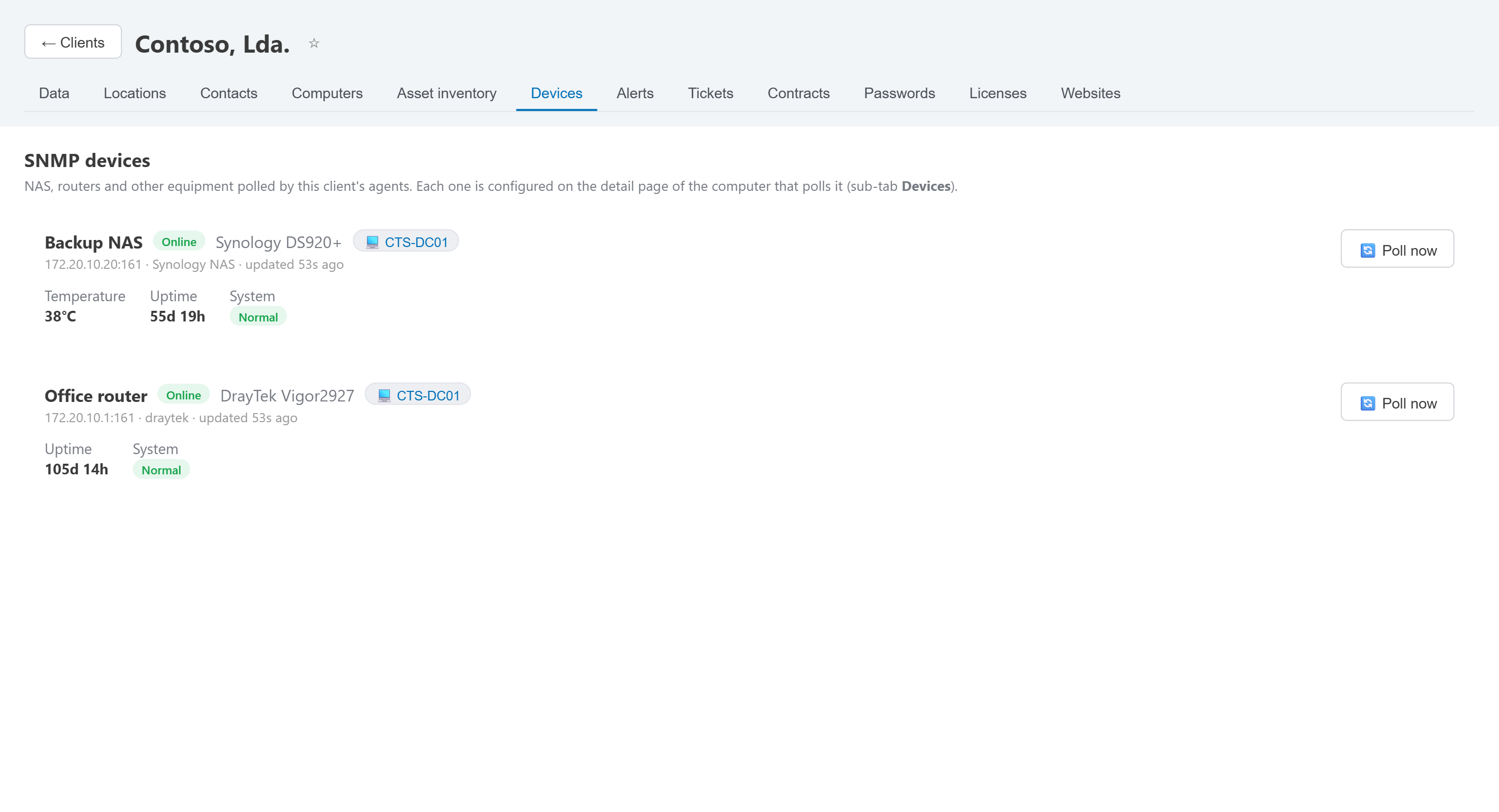
What's included
- Poll any SNMP-capable device from the agent already installed on the network — no extra appliance.
- Per-device alerts (reachability, thresholds you define), evaluated on every poll.
- Sits on the same client sheet as the computers it shares a network with.
- Works with common NAS and router brands out of the box (tested against Synology, DrayTek).
- Printers too. Add a printer as a device of type Printer and its toner, ink, drum and other supplies show as level bars, read with the standard Printer MIB — with the page count, the model and serial number, and what the printer itself reports, such as a paper jam or a door left open. A waste toner box shows how full it is. You don't even have to add them one by one: the agent of a computer on the client's network can scan it for printers, and the ones you tick are added in one go.
- Toner alerts before the client calls. A supply under 15% raises a warning, and under 5% — or empty — a critical alert; both thresholds can be changed per printer.
- Every client's printers in one list. The Printers module, in the Infrastructure group, lists them all, with filters for low supplies, printers reporting errors and printers that are offline.
- SNMP devices and printers are polled by the Windows agent on their network; reading printer supplies needs that agent to be current, and it updates itself.
| Printer | Client | Supplies | Pages | Alerts |
|---|---|---|---|---|
| PRN-Contoso-2F172.20.10.40 | Contoso, Lda. | Black toner62%
Cyan toner8%
Magenta toner41%
Yellow toner55%
Waste toner35% full
|
48,211 | Cyan toner 8% |
| PRN-Fabrikam10.10.0.60 | Fabrikam, S.A. | Black toner4%
Drum71%
|
12,604 | Black toner 4% |
Network devices
Monitor NAS boxes, routers, switches and printers by SNMP — toner and ink levels included — right alongside the Windows fleet.